It's another 1 of those overdue blogs that I've been meaning to write for a few months now. Every week I have the same conversation with patients whose seemingly never recovering neck shoulder and upper extremity injury is caused by excessive use of typing and mousing on the computer, up to 10 hours a day, 5 – 6 days a week. Ergonomics, although highly needed to make sure the patient's keyboard mouse and screen are correctly place, cannot fully resolve the basic problem: the human body simply not engineered to have this kind a repetitive continuous static loading in front of our computers and tablets.
The urgency of this blog really hit me earlier today. As many of you know, my only living relative left lives overseas, and is well into his 80s. Being able to communicate on a regular basis is really crucial in our relationship and I had sadly noticed recently how little messages I was receiving beyond our weekly video call. A few days ago I found out the rather simple reason: hand tremors. They have been getting worse to the point of making it difficult to type anything on the computer or on a widescreen smart phone. Like many people in his generation, albeit more tech savvy at some point than some, he was not aware of the easily accessible new voice typing options that would allow him to bypass his physical limitations. We changed the setting on the phone to have the little microphone pop-up next to the what's up keyboard on the main screen,and voila ! The weekly litany of complaints, comments and mild badgering is back in full force ( with a few clorful French cuss words).
The democratization of readily available and free voice typing technology is moving at such a pace that you should take this blog information with a grain of salt - it could have changed a little bit even in a few weeks - but I want you to get away with one concept: it's pretty ridiculous to continue killing your body keying and typing when you could use your voice and keep your neck and shoulder in a relaxed position.
Below is a sample of some of the way to activate this feature on the most common technology platforms.
First, understand that getting good voice recognition when using voice typing requires you to learn to speak in a way that is going to be recognized by technology: steady voice volume, low moderate speed, full enunciation. You basically have to talk a little bit like a robot because essentially that's what your voice typing software is and you want to talk their love language.
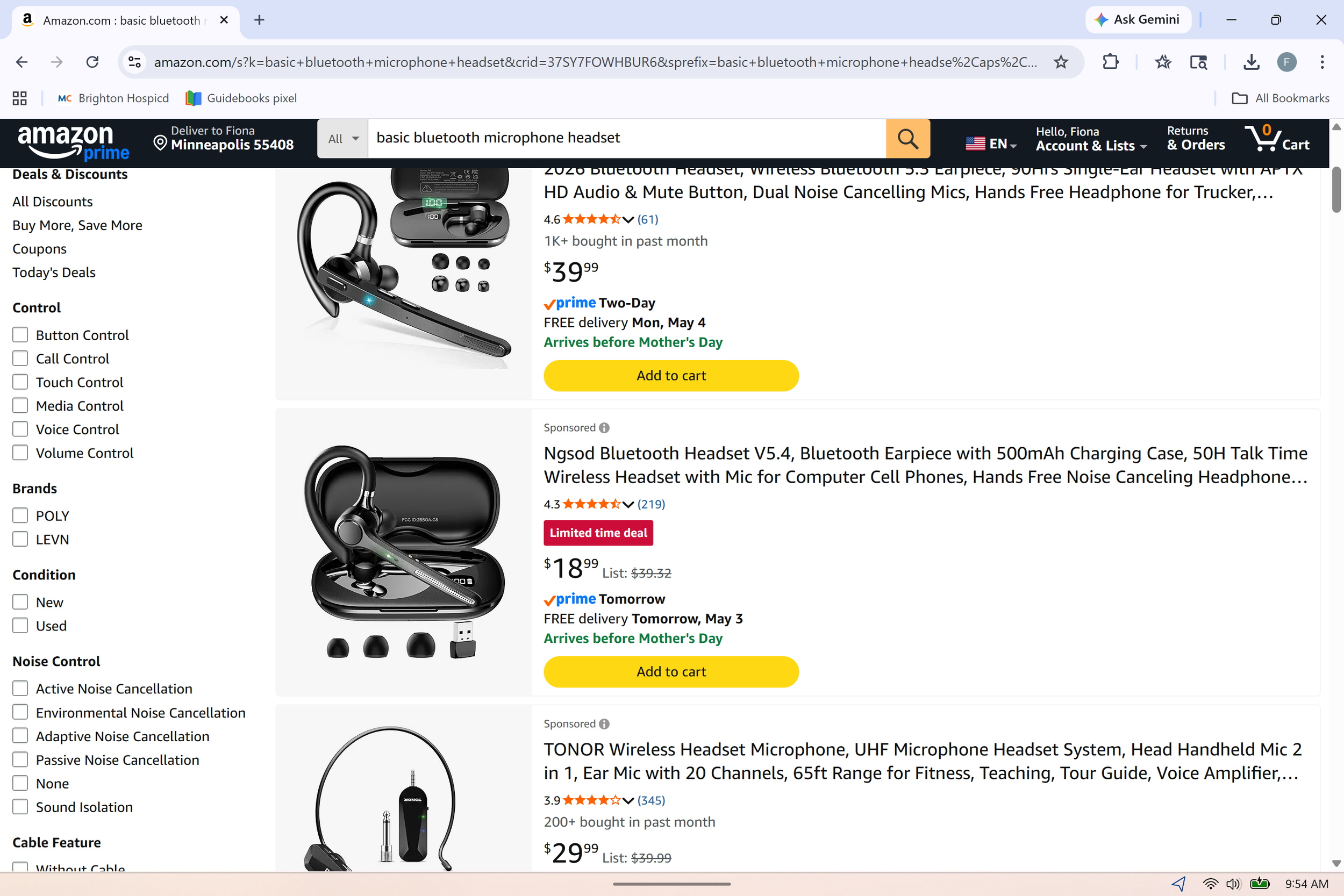
Next, unless you're dictating on your smart phone, in which case you want to have your mouth within about 3 or 4 inches of your phone consistently, you want to use a good microphone that has a mouth extension. Your buds don't work very well when you seriously and continuously dictating. But even the average run-of-the-mill basic dictation microphone that you can get for under $50 is going to be able to do the job. Some of them are better than others so always read user reviews of ordering online. One important aspect is their ability to maintain the Bluetooth connection, unless you using a USB dongle.
On your phone: most of the time your keyboard when it pops up will have a little voice icon on the right upper corner. You just tap it, speak, make corrections if needed after the text has typed out, shut your microphone and hit send. If your voice typing is not yet activated on your gboard, follow the following instructions : Settings > System > Languages & input > Keyboards > Voice typing
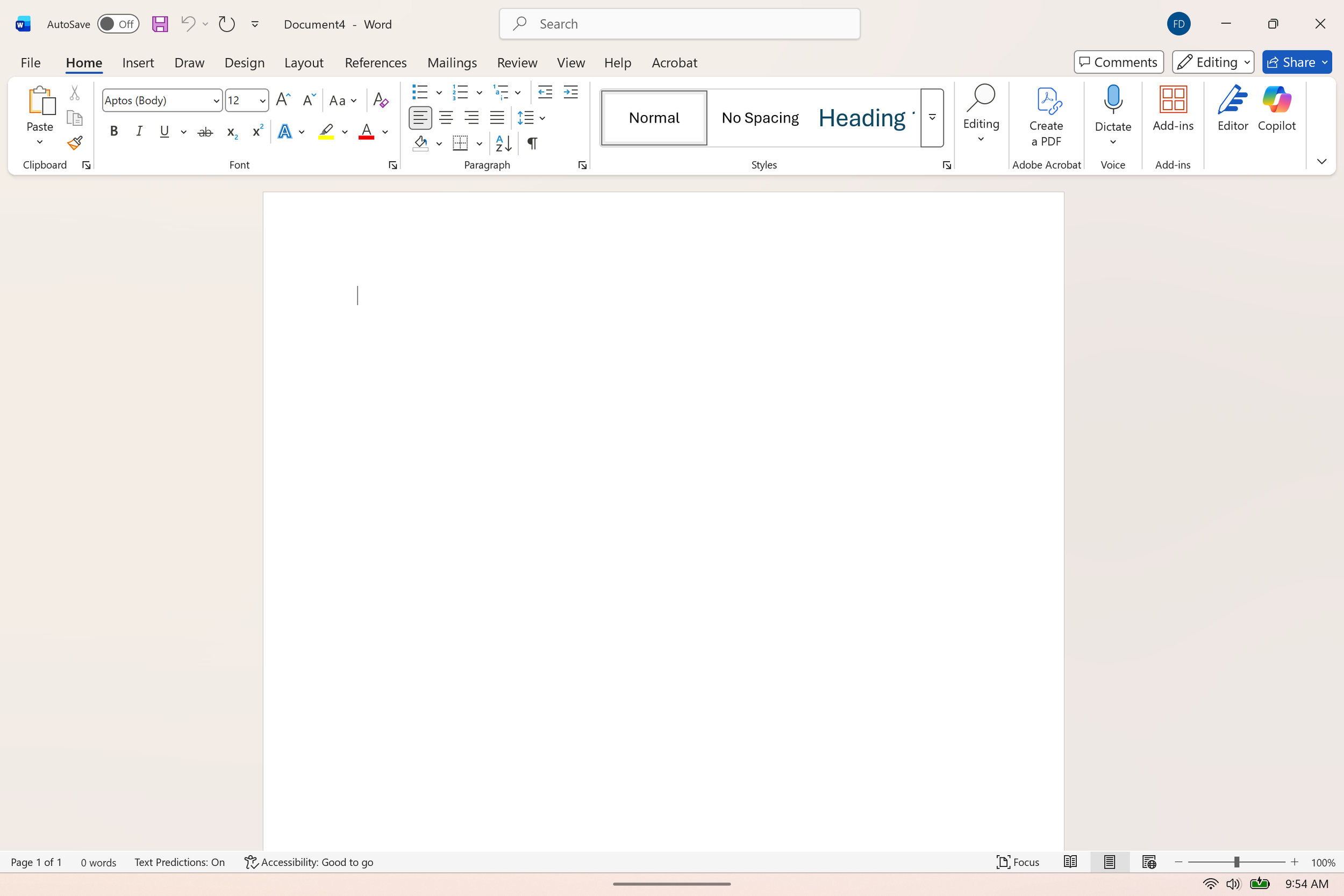
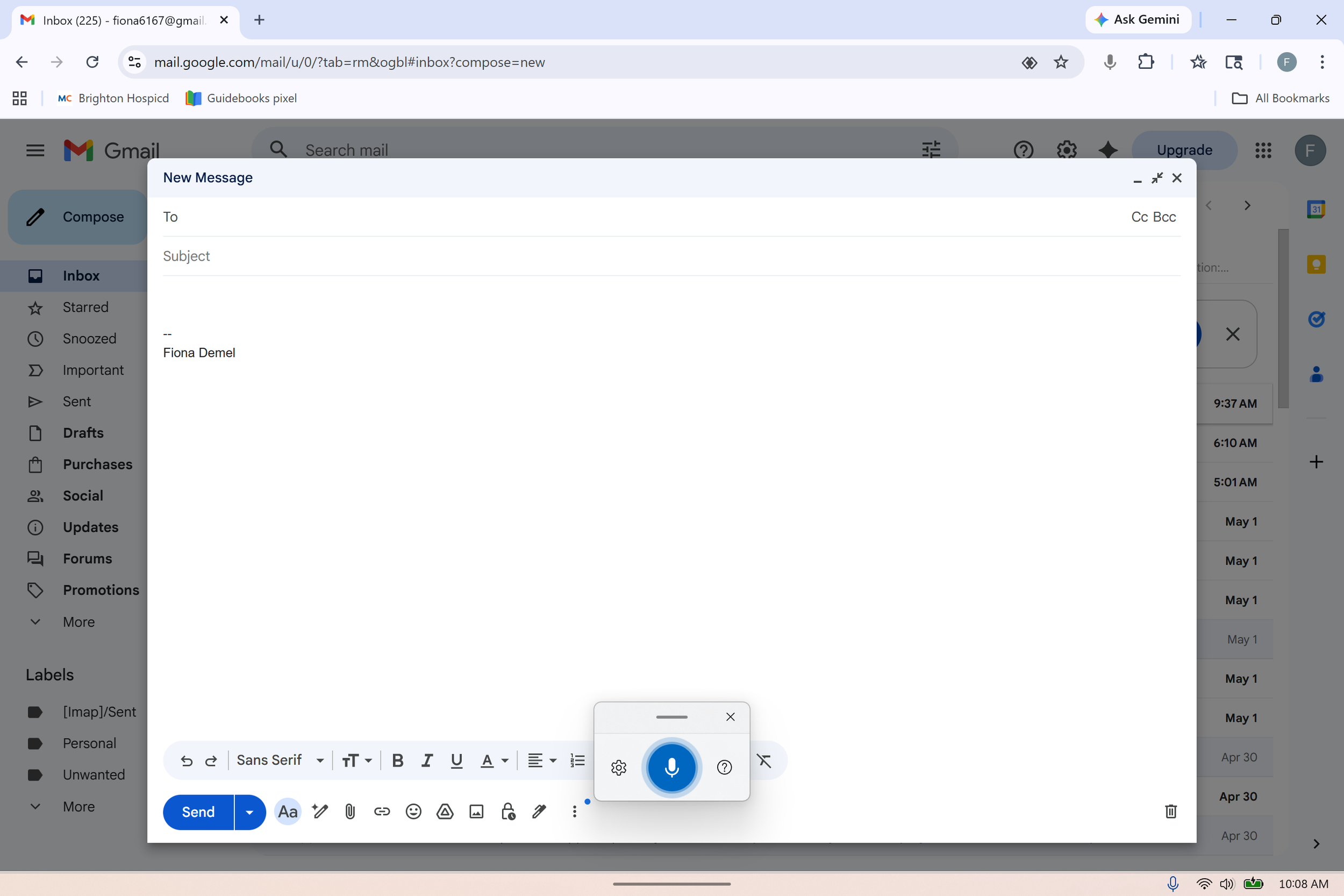
In Windows based systems (Windows 11 and later, you may be able to activated through the system settings in earlier versions), you can bring up the microphone in any part of the system by simply doing Windows key + H it will pop up in the center bottom of your screen and you can start dictating. The dictating icon shows up automatically on most all documents of the Microsoft 365 suite, such as Word documents, as you can see on the screenshot attached.
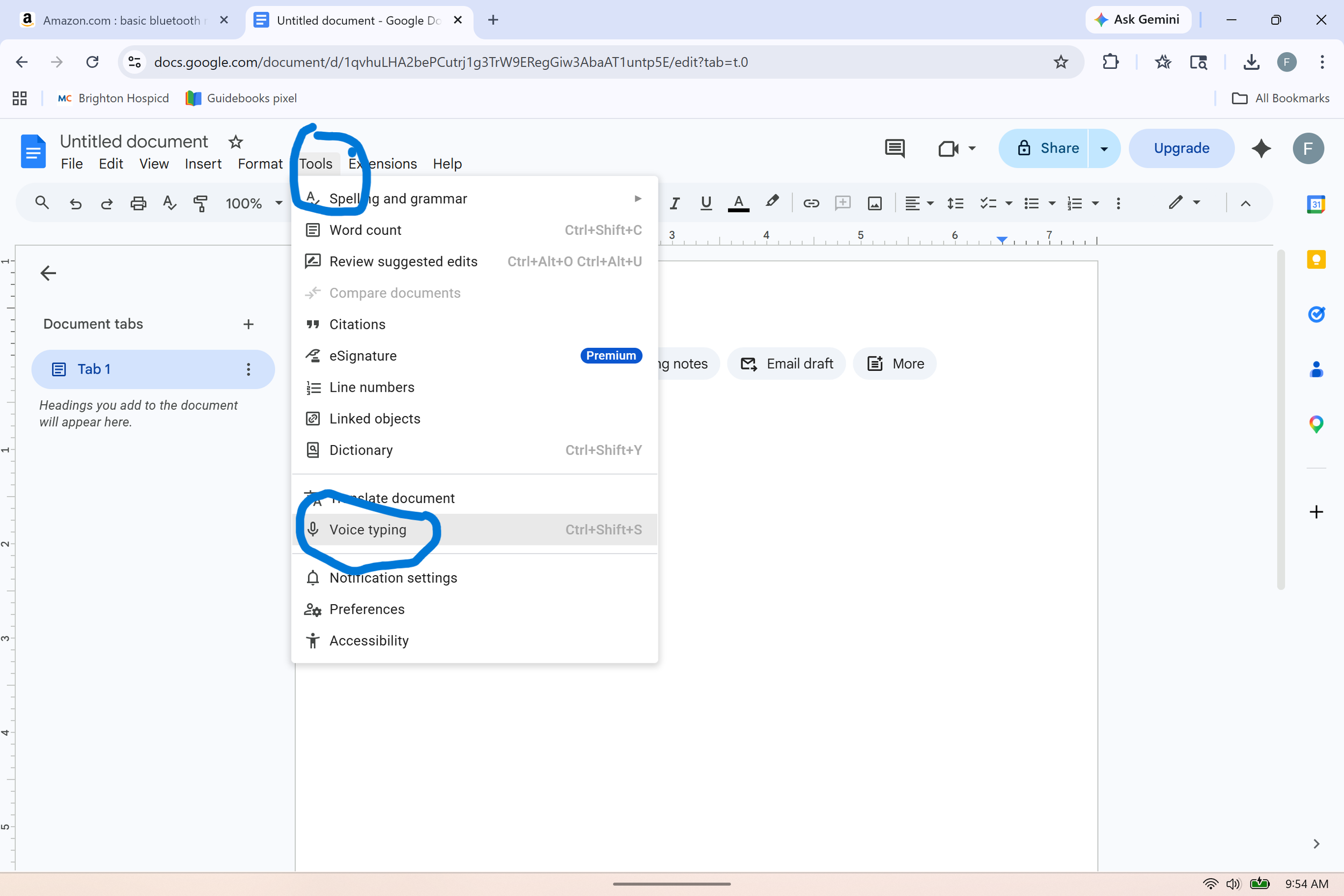
In the Google suite, you can bring up voice typing from the Tools drop-down menu, as seen in the screenshot. You can also add a browser extension for voice typing but I haven't found those to be as user-friendly and they will often ask you to upgrade to a paid subscription.
https://support.google.com/docs/answer/4492226?hl=en
Special note for people using spreadsheets: it's very different to navigate you wave and edit the spreadsheet that it is to dictate a simple text. There is a dedicated free version of an excel voice dictation software that allows heavy Excel users to learn basic commands to move to different cells, edit cells, and rearrange the spreadsheet.
https://www.speech4excel.com/en/
As you find your way around voice dictation, also understand that nowadays, we use our mouse quite a bit. Learning the list of commands is going to help you leverage the best out of voice typing and will take a little bit of time. Myself included, as I know basic commands but I'm finding out that more commands have become available that I'm having to teach my old habitual self to use.
https://support.microsoft.com/en-us/topic/voice-access-command-list-dac0f091-87ce-454d-8d57-bef38d3d8563